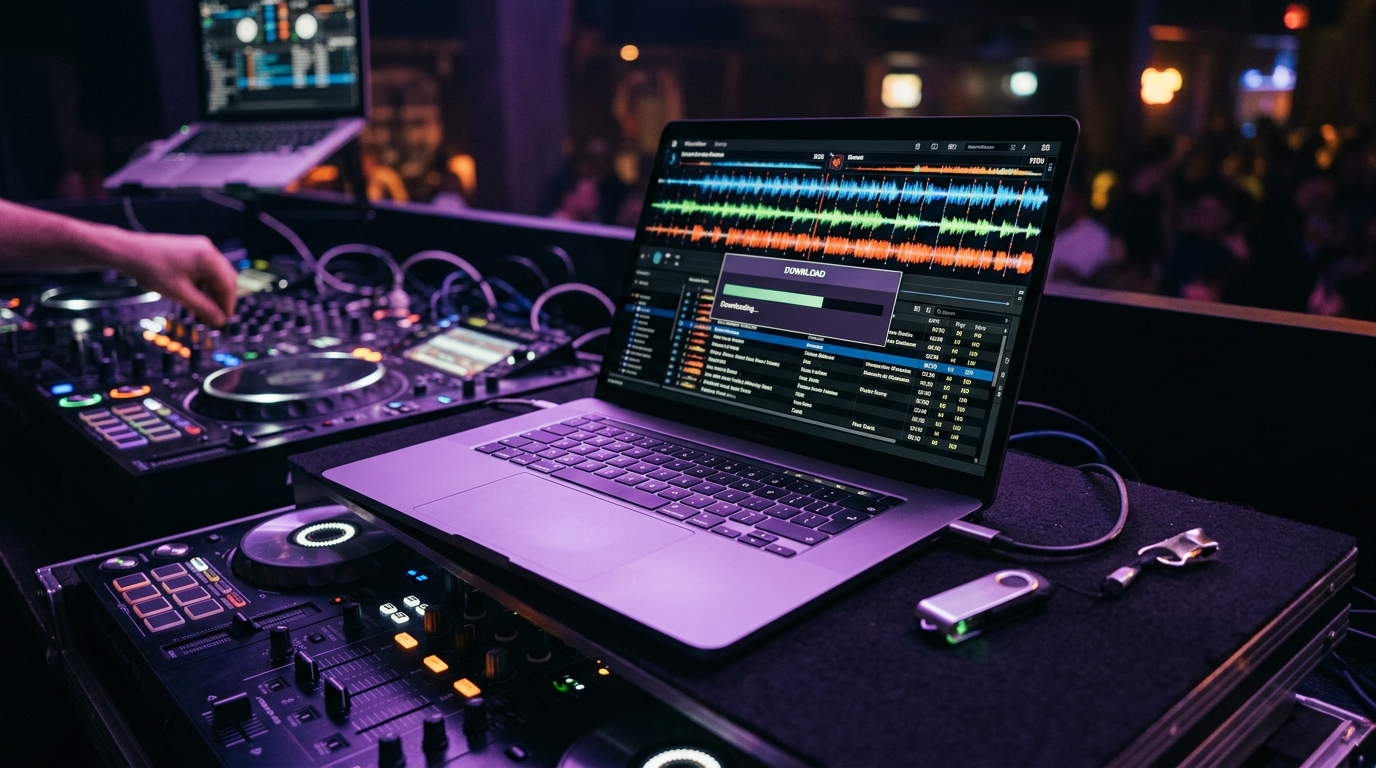
Beatport Streaming Guide for DJs

Streaming & Services Guide: Beatport DJAY - The Ultimate DJ Platform
In today's digital music landscape, DJs need powerful tools that seamlessly integrate with the vast libraries of music available online. The partnership between Beatport and DJAY has revolutionized how DJs access, mix, and perform with digital music. This comprehensive guide explores everything you need to know about using Beatport with DJAY, from setting up your accounts to advanced mixing techniques that will elevate your performances.
What is Beatport DJAY Integration?
Beatport, the premier online store for electronic music, has partnered with Algoriddim's DJAY software to create a powerful streaming solution for DJs. This integration allows DJs to access Beatport's extensive catalog directly within the DJAY app, eliminating the need to purchase and download tracks individually before performing.
The Beatport DJAY integration combines two industry-leading platforms:
Beatport: The world's largest electronic music store with millions of high-quality tracks across all electronic genres
DJAY: Award-winning DJ software available on iOS, iPadOS, macOS, Android, and Windows devices
This partnership creates a seamless workflow for DJs of all skill levels, from beginners practicing at home to professionals performing at clubs and festivals.
Getting Started with Beatport and DJAY
Setting Up Your Accounts
Before diving into the integration, you'll need to set up accounts with both services:
Beatport Account: Visit Beatport.com and create an account if you don't already have one.
DJAY App: Download the DJAY app from your device's app store or from Algoriddim's website.
Beatport LINK Subscription: Subscribe to Beatport LINK, which is required for streaming within DJAY. There are several tiers available:
Beatport LINK: Basic streaming access
Beatport LINK Pro: Higher quality streaming and offline locker
Beatport LINK Pro+: Studio-quality audio and expanded offline locker
Connecting Beatport to DJAY
Once you have your accounts set up, connecting them is straightforward:
Open the DJAY app on your device
Navigate to the music library section
Select "Beatport" from the available music services
Log in with your Beatport credentials
Allow the connection between the two services
After connecting, you'll have immediate access to Beatport's entire catalog directly within the DJAY interface. This integration transforms your device into a powerful DJ setup without the need for extensive music downloads.
Exploring Beatport's Library in DJAY
Navigating the Catalog
Beatport's library is vast and well-organized, making it easy to find the perfect tracks for your sets. Within DJAY, you can browse Beatport's catalog by:
Genres: Explore specific electronic music genres like House, Techno, Trance, Drum & Bass, and many more
Charts: Access Beatport's trending and top-selling tracks
New Releases: Discover the latest tracks added to the platform
Artists: Find music from specific producers and DJs
Labels: Browse releases from your favorite record labels
The search functionality is powerful, allowing you to quickly find specific tracks, artists, or labels when you know exactly what you're looking for.
Creating Playlists and Collections
Organizing your music is essential for efficient DJing. With Beatport LINK in DJAY, you can:
Create custom playlists for different moods, events, or genres
Add tracks to your favorites for quick access
Access your Beatport LINK playlists created on the Beatport website
Organize tracks into crates for specific gigs or themes
These organization tools help you prepare for sets in advance and quickly access the right music during live performances.
Key Features of Beatport DJAY Integration
Streaming Quality and Performance
Audio quality is paramount for professional DJs. Beatport LINK offers different streaming quality options depending on your subscription tier:
Standard Quality: 128 kbps AAC (LINK basic plan)
High Quality: 256 kbps AAC (LINK Pro plan)
Premium Quality: 320 kbps AIFF (LINK Pro+ plan)
The higher-tier plans provide audio quality that matches or exceeds most club sound systems, ensuring your mixes sound professional in any venue.
Offline Mode and Locker
One of the most valuable features for professional DJs is the offline locker, available with Pro and Pro+ subscriptions. This feature allows you to:
Download tracks to your device for offline use
Perform without an internet connection
Eliminate potential streaming issues during live sets
The Pro plan includes a 50-track offline locker, while Pro+ expands this to 100 tracks, giving you ample space for full-length sets without an internet connection.
Advanced Audio Analysis and Beatgrid Features
DJAY automatically analyzes all Beatport tracks to provide essential mixing information:
BPM Detection: Accurate tempo information for perfect beatmatching
Key Detection: Musical key information for harmonic mixing
Beatgrid Analysis: Precise beat markers for tight synchronization
Waveform Visualization: Detailed audio waveforms for visual mixing cues
These analysis features make mixing tracks from Beatport's catalog as seamless as using locally stored music.
Advanced Mixing Techniques with Beatport and DJAY
Neural Mix™ Technology
One of DJAY's standout features is Neural Mix™, which works perfectly with Beatport's catalog. This AI-powered technology allows you to:
Isolate and adjust vocals, drums, and instrumentals in real-time
Create acapella and instrumental versions on the fly
Mix elements from multiple tracks for creative transitions
Remove specific elements for cleaner mixes
Neural Mix™ opens up creative possibilities that weren't available to DJs until recently, allowing for innovative mixing techniques with Beatport's extensive catalog.
Automix AI and Smart Mixing
For seamless transitions or when you need a break during longer sets, DJAY offers Automix AI that works with your Beatport library:
Intelligent track selection based on musical compatibility
Automatic beatmatching and tempo adjustment
Smooth transitions between tracks
Customizable transition styles and durations
This feature is perfect for background music at events or for creating continuous mixes with minimal manual intervention.
Hardware Integration
DJAY supports numerous DJ controllers and hardware that enhance the Beatport streaming experience:
Pioneer DJ: Compatible with many CDJ and controller models
Native Instruments: Works with Traktor controllers
Reloop: Full integration with Reloop controllers
Numark: Support for various Numark hardware
And many more brands and models
This hardware support transforms your device into a professional DJ setup, with physical controls for browsing and mixing Beatport's catalog.
Beatport DJAY for Different DJ Levels
For Beginners
If you're just starting your DJ journey, Beatport DJAY offers several advantages:
Access to millions of tracks without building an expensive music collection
Intuitive interface that's easy to learn
Built-in tutorials and guides
Affordable entry point compared to traditional DJ setups
Practice with the same tracks professional DJs use
Beginners can explore different genres and styles without committing to purchasing tracks, making it easier to discover your personal DJ style. For more resources on building your online presence as a beginner DJ, check out this guide to the best platforms for building your online presence.
For Professional DJs
Professional DJs benefit from advanced features that make Beatport DJAY a viable option for club and festival performances:
High-quality audio streaming that meets professional standards
Offline locker for reliable performance without internet
Access to exclusive Beatport content and new releases
Professional effects and mixing tools
Compatibility with professional DJ hardware
The integration saves professionals from carrying extensive music libraries while ensuring they have access to the latest tracks for their sets.
Pricing and Subscription Options
Beatport LINK Plans
To access Beatport's catalog in DJAY, you'll need a Beatport LINK subscription. The current plans include:
Beatport LINK: $14.99/month
Full streaming access to Beatport's catalog
Standard audio quality (128 kbps)
No offline locker
Beatport LINK Pro: $29.99/month
Everything in LINK, plus:
Higher audio quality (256 kbps)
50-track offline locker
Beatport LINK Pro+: $44.99/month
Everything in LINK Pro, plus:
Premium audio quality (320 kbps AIFF)
100-track offline locker
All plans include a free trial period, allowing you to test the service before committing.
DJAY App Pricing
The DJAY app itself has different pricing models depending on your platform:
DJAY for iOS/iPadOS: Free download with in-app purchases for Pro features
DJAY Pro for iOS/iPadOS: One-time purchase or subscription
DJAY Pro for macOS: One-time purchase
DJAY Pro for Windows: One-time purchase
DJAY for Android: Free download with in-app purchases
The Pro versions are required to access the full range of features, including Beatport integration on some platforms.
Tips and Tricks for Maximizing Beatport DJAY
Optimizing Performance
To ensure the best experience when streaming from Beatport to DJAY:
Use a stable internet connection: Wired connections are preferable for live performances
Pre-load tracks: Load your next tracks in advance to buffer the audio
Utilize the offline locker: Download essential tracks before your set
Close unnecessary apps: Maximize available system resources
Keep your device charged: Use external power during longer sets
These optimizations help prevent interruptions and ensure smooth performance during your sets.
Organizing Your Library Effectively
Efficient library management makes for better DJ performances:
Create genre-specific playlists: Organize tracks by style for quick access
Use energy ratings: Tag tracks by energy level to build dynamic sets
Prepare venue-specific collections: Curate music appropriate for different venues
Utilize Beatport's tagging system: Take advantage of BPM, key, and genre tags
Regularly update playlists: Keep your collections fresh with new releases
Good organization saves time during performances and helps you create more cohesive sets.
Comparing Beatport DJAY to Other DJ Streaming Services
Beatport DJAY vs. SoundCloud Go+
While both services offer streaming integration with DJ software:
Catalog Focus: Beatport specializes in electronic music; SoundCloud has a broader range including user-uploaded content
Audio Quality: Beatport LINK Pro+ offers higher quality audio
Track Availability: Beatport has more official electronic music releases; SoundCloud includes remixes and unofficial content
DJ Software Integration: Both work with DJAY, but Beatport's integration is more seamless
Beatport is generally preferred by electronic music DJs seeking professional-quality tracks, while SoundCloud offers more variety and underground content.
Beatport DJAY vs. Tidal DJ
Comparing these premium streaming options:
Music Selection: Beatport focuses on electronic music; Tidal covers all genres
Audio Quality: Both offer high-quality streaming options
DJ-Specific Features: Beatport provides more DJ-centric information like accurate BPM and key detection
Software Compatibility: Both work with DJAY and other DJ software
Beatport is the better choice for dedicated electronic music DJs, while Tidal may suit DJs who play across multiple genres.
Future of Beatport DJAY Integration
Upcoming Features and Developments
The Beatport DJAY ecosystem continues to evolve with several anticipated improvements:
Enhanced AI mixing capabilities: More advanced Neural Mix features
Expanded hardware compatibility: Support for more controllers and devices
Improved streaming quality: Potential for even higher audio quality options
Social features: Better integration with streaming platforms and social media
Cloud sync: Improved synchronization between devices and platforms
These developments will further strengthen the position of Beatport DJAY as a leading solution for digital DJs.
The Impact on DJ Culture
Streaming services like Beatport DJAY are transforming DJ culture in several ways:
Democratizing access: Making professional DJ tools available to more people
Changing preparation workflows: Shifting from downloading to streaming and playlist curation
Enabling greater musical diversity: Providing access to millions of tracks without purchase barriers
Creating new performance possibilities: Through AI and advanced mixing technologies
As these technologies mature, they're becoming increasingly accepted in professional DJ circles, changing how DJs discover, prepare, and perform music.
Troubleshooting Common Issues
Connection Problems
If you experience issues connecting Beatport with DJAY:
Verify subscription status: Ensure your Beatport LINK subscription is active
Check internet connection: Test your network speed and stability
Restart the app: Close and reopen DJAY
Reinstall if necessary: As a last resort, reinstall the DJAY app
Contact support: Reach out to Beatport or Algoriddim support teams
Most connection issues can be resolved with these simple steps.
Playback and Performance Issues
For problems during playback or performance:
Buffer tracks in advance: Load your next track early
Check device resources: Close unnecessary apps to free up memory
Reduce visual effects: Turn off resource-intensive visualizations
Use offline mode: Switch to offline locker tracks for critical performances
Update software: Ensure you're running the latest version of DJAY
These adjustments can significantly improve performance, especially on older devices.
Community and Learning Resources
Online Communities and Forums
Connect with other Beatport DJAY users through these communities:
Beatport LINK Forum: Official discussion board for Beatport streaming users
Algoriddim Community: DJAY users sharing tips and experiences
Reddit r/DJs: Subreddit with frequent discussions about DJ streaming services
Facebook Groups: Several dedicated to DJAY and Beatport users
These communities are excellent resources for troubleshooting, tips, and connecting with fellow DJs.
Tutorial Resources
Improve your skills with these learning resources:
Official Tutorials: Both Beatport and Algoriddim offer guides and videos
YouTube Channels: Many DJs create tutorial content specifically for Beatport DJAY
Online Courses: Platforms like Udemy offer structured DJ courses
Livestreams: Watch professional DJs using the platform
Continuous learning is key to maximizing the potential of the Beatport DJAY integration. For independent artists looking to distribute their music to platforms like Beatport, check out this guide to the best distribution options for indie artists.
Conclusion: Is Beatport DJAY Right for You?
The Beatport DJAY integration represents a significant evolution in digital DJing, offering unprecedented access to high-quality electronic music through a powerful, flexible platform. Whether it's right for you depends on several factors:
For electronic music specialists: Beatport DJAY provides the most comprehensive electronic music library available for streaming DJs
For professional performers: The Pro+ plan offers the reliability and quality needed for club and festival performances
For beginners: The platform provides an affordable entry point to professional-grade DJ tools and music
For multi-genre DJs: While excellent for electronic music, those who regularly play across many genres might want to consider additional services
With its continuous improvements, expanding feature set, and focus on the needs of electronic music DJs, Beatport DJAY has established itself as a leading solution in the evolving landscape of digital DJ technology. By combining Beatport's unmatched electronic music catalog with DJAY's innovative features, this integration offers a compelling platform for DJs at all levels.
Whether you're just starting your DJ journey or looking to streamline your professional workflow, Beatport DJAY provides the tools, music, and flexibility to support your creative expression behind the decks.